Evidence · Plumbing · 8 practices verified live
What the best plumbing websites do in 2026
The short answer
The best plumbing websites in 2026 are built for urgency and distrust at the same time. Most visitors have water on the floor and a fear of being overcharged, so the leaders make calling instant, state the service area plainly, show honest prices before asking for anything, and prove they are licensed, insured and real. Each practice below is checked against a live template built to prove it.
By Nikolai Bhend · Verified against the live template · Updated September 2, 2026
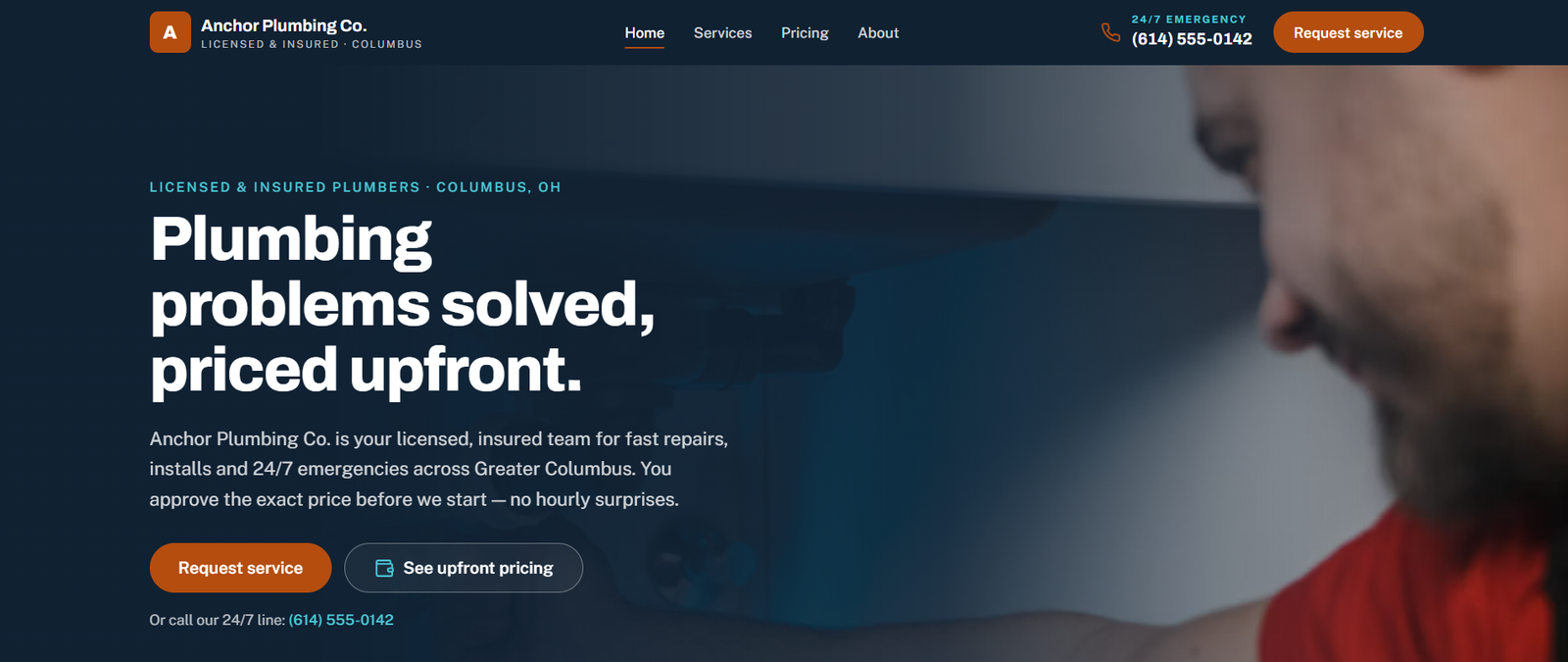
Anchor Plumbing Co. — the plumbing template behind this page, a fictional business in Columbus, OH, running live at plumbing.horizonstemplates.com. Every claim below was checked on it.
The 8 practices, verified live
What the category leaders ship, and where this template proves each one. Each card jumps to the detail.
- 01Sticky tap-to-call and genuine 24/7 messagingVerified live
- 02Honest upfront pricing before the callVerified live
- 03Route the problem, not the productVerified live
- 04An explicit service area, on the page and in the dataVerified live
- 05A trust stack made of verifiable facts, not starsVerified live
- 06Emergencies go to the phone; planned work goes to a requestVerified live
- 07One page per service, with the questions homeowners askVerified live
- 08Fast on cellular, usable one-handedVerified live
- 01
Sticky tap-to-call and genuine 24/7 messaging
What the best plumbing sites do
Roughly three quarters of “near me” plumbing searches are on a phone, and the single biggest leak is the gap between a visitor’s intent to call and finding the number. Typical plumbing sites convert at 1–3%; the well-optimised ones reach 12–16% — the same traffic producing several times the calls, mostly from a phone number that is always in reach.
What Anchor Plumbing Co. ships · verified live
Anchor Plumbing keeps tap-to-call and genuine 24/7 messaging visible at every scroll position, so when someone standing in water decides to call, the number is already there.
Open the demo on your phoneMake it yours
Your number and your real hours — the schema states them too.
- 02
Honest upfront pricing before the call
What the best plumbing sites do
Price fear is half of why a homeowner hesitates, and transparent pricing is the trust move almost no local competitor makes. Sites that show an honest range — with what changes it — separate credible operators from the pack and get the call the others lose.
What Anchor Plumbing Co. ships · verified live
The template leads with a transparent upfront-price estimator: describe the problem, get routed to the right service with an honest price band. The services and ranges are yours to edit in one place.
Try the upfront-price estimatorMake it yours
Your services and your real price bands.
- 03
Route the problem, not the product
What the best plumbing sites do
Homeowners search for symptoms — “water heater leaking”, “no hot water” — not for service names. The best sites accept the symptom and route it to the right service and next step, instead of making a panicking visitor decode a menu.
What Anchor Plumbing Co. ships · verified live
A problem-to-service router is the front door of the template: the described problem lands on the right service and the right action, whether that is an emergency call or a planned request.
Describe a problem on the demoMake it yours
The symptoms your customers actually describe.
- 04
An explicit service area, on the page and in the data
What the best plumbing sites do
Vague coverage claims waste calls on both sides. The leaders name the towns they serve and the radius, and state the same area in structured data so they show up for the right local searches and not the wrong ones.
What Anchor Plumbing Co. ships · verified live
The service area is explicit content and GeoCircle structured data at once: set your towns and radius and both the visible statement and the schema update.
See the service area on the demoMake it yours
Your towns and your radius — once.
- 05
A trust stack made of verifiable facts, not stars
What the best plumbing sites do
Every top-ranking home-services site uses real photography and verifiable specifics — license number, bonded and insured status, warranty terms, years in business, financing — because stock imagery and invented ratings read as fake even when nobody can say why.
What Anchor Plumbing Co. ships · verified live
Anchor Plumbing ships an honest trust stack — license, bonded-and-insured status, warranty, tenure and financing — with a review-ready slot instead of fabricated stars, and no invented testimonials.
See the trust stackMake it yours
Your license number, insurance, warranty, founding year, financing partner.
- 06
Emergencies go to the phone; planned work goes to a request
What the best plumbing sites do
A burst pipe and a bathroom remodel are different visitors. The best sites split the two paths — instant call for emergencies, a request flow for planned work — and give the emergency path unmistakable visual priority.
What Anchor Plumbing Co. ships · verified live
The template routes emergencies to a phone line and planned work to a request flow, and reserves a distinct urgency accent for emergency actions so the fastest path is visually unmistakable — without ever leaving meaning to colour alone.
Compare the two paths on the demoMake it yours
Your emergency line and your request intake.
- 07
One page per service, with the questions homeowners ask
What the best plumbing sites do
Service pages that answer the real questions — how long it takes, what it costs, what to do until the plumber arrives — rank for the long-tail searches that convert, and get quoted by AI search. A single “services” list does neither.
What Anchor Plumbing Co. ships · verified live
Each service on the template has its own page with its own FAQ, so the answers homeowners search for live where the search lands.
Open a service pageMake it yours
Your services and the questions you hear on the phone.
- 08
Fast on cellular, usable one-handed
What the best plumbing sites do
The visitor is often on a phone, on cellular, in a flooded basement. Leaders keep pages light, targets large and the primary action reachable with one thumb — and it doubles as accessibility.
What Anchor Plumbing Co. ships · verified live
The template is deliberately lightweight and audited to WCAG 2.2 AA — contrast, focus visibility, target sizes, form labelling and keyboard operation included.
Open Anchor Plumbing Co.Make it yours
Nothing — keep it light when you add your photos.
Anchor Plumbing Co. · Columbus, OH
See every practice live: Anchor Plumbing Co.
The plumbing template behind this page ships each practice above as a working, audited build — walk the real thing, then make it yours. Cloning is free; publishing needs a Hostinger Horizons plan.
Questions people ask
They are built for a stressed, skeptical visitor deciding in under a minute on a phone: tap-to-call always in reach, honest upfront pricing, a symptom-first route to the right service, an explicit service area, a trust stack of verifiable facts, and a clear split between emergency and planned work.
Yes — as honest ranges with what changes them. Price fear is a major reason homeowners stall, and transparent pricing is the trust move most local competitors avoid. An estimator that routes a described problem to a price band does this without promising a fixed quote.
Real ones help; invented ones hurt. A site converts on verifiable facts — license, insurance, warranty, years in business, real photos — and gains from genuine reviews through the platforms that verify them. Fabricated stars are a liability, not a signal.
Decisive. Around three quarters of “near me” plumbing searches happen on a phone, often on cellular and under stress. Fast pages, large targets and a phone number that is always one tap away are the difference between the 1–3% conversion of a typical site and the double digits of the best.
More evidence pages
- Dental clinicWhat the best dental websites do
- Law firmWhat the best law firm websites do
- Insurance agencyWhat the best insurance websites do
- Real estateWhat the best real estate websites do
- Café / roasteryWhat the best café websites do
- RestaurantWhat the best restaurant websites do
- Med spaWhat the best med spa websites do
- AccountingWhat the best accounting websites do
- Hair salonWhat the best hair salon websites do